In this article, we explore solutions such as DALL-E and Midjourney. These are AI applications that generate images from text prompts. These and similar AI tools let businesses create visual content, including simple images, advertising creatives, presentations, and user interface designs, much faster and at lower cost.
Both solutions take a text prompt and generate a series of images, however unusual your request may be, although prompt engineering still matters here. DALL-E 3 is the easiest tool for getting started with image generation, while Midjourney offers extremely powerful features.
How these solutions work
Both DALL-E 3 and Midjourney were trained on enormous datasets of text–image pairs, allowing them to develop a fairly clear understanding of concepts such as a glass, a glass made from a cactus, and dramatic lighting. Both solutions use what are known as diffusion models to create images.
Diffusion models are modern machine learning tools most commonly used to generate images.
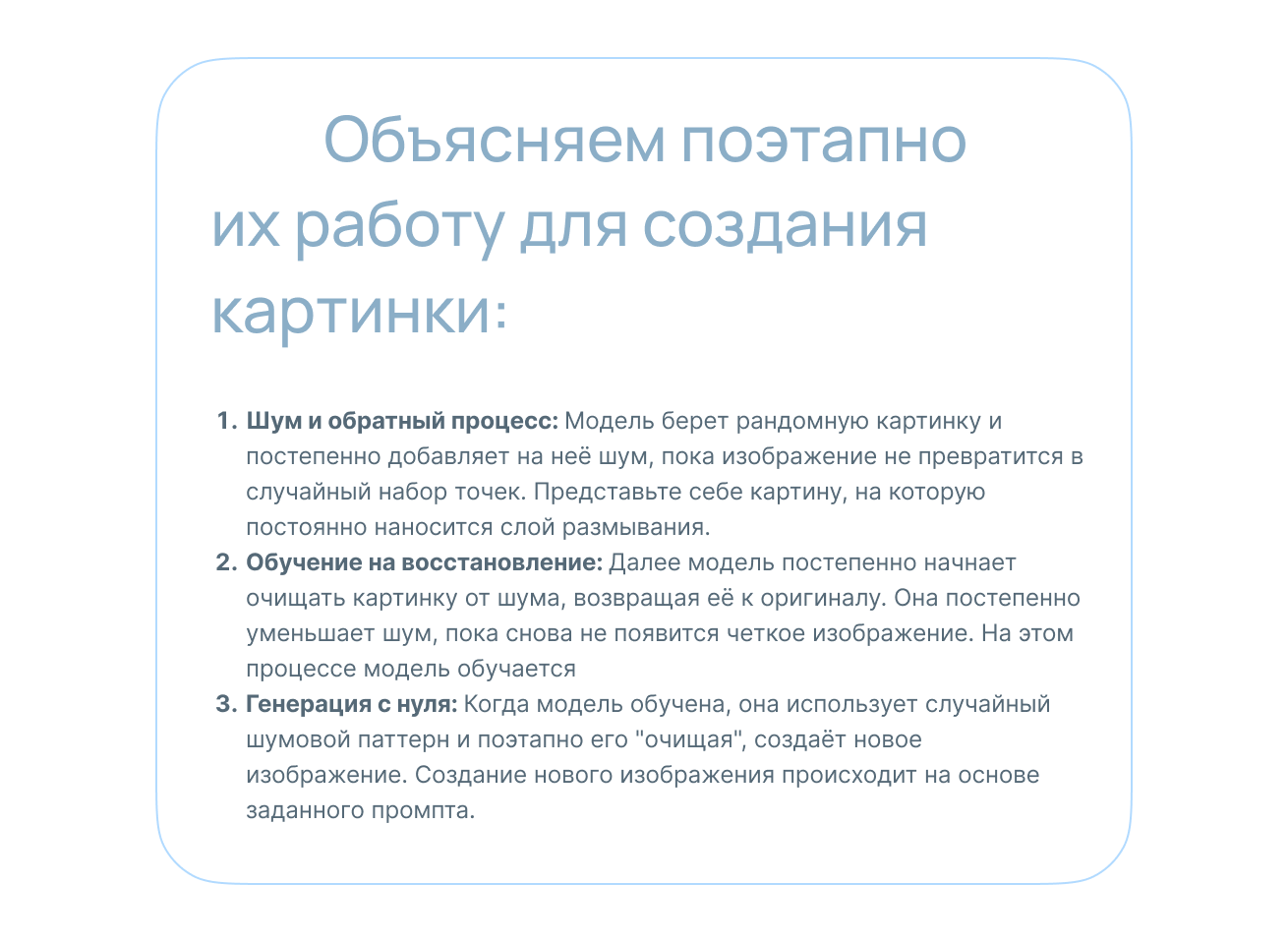
When diffusion models create images, they start with something like a blank sheet, except that this sheet is a random collection of noise. Imagine beginning to draw on white paper that already has pale colors scattered randomly across it. Based on your request, or prompt, the model then gradually transforms this noise into a specific image.
Each time you give a model the same prompt, the results may differ slightly. This happens because the initial blur is always different, and even small changes to the starting image, which is filled with noise and becomes the model’s canvas, can produce noticeable differences in the final picture. Think of it as a game with clouds: you look at an overcast sky, find a cloud, study it until you see that it resembles a dog, then snap your fingers to make it look increasingly like a dog. If you look at the sky the next day and find another cloud that resembles a dog, your imagination will form a different dog from a different sky and cloud—but still a dog. Despite sharing the diffusion technique, DALL-E and Midjourney produce very different results. Factors include how a model interprets your prompt, parameter weighting, training data, and even the company’s philosophy.
Here is an example: we used the same simple prompt for both models, without detailed specifications or refinement:
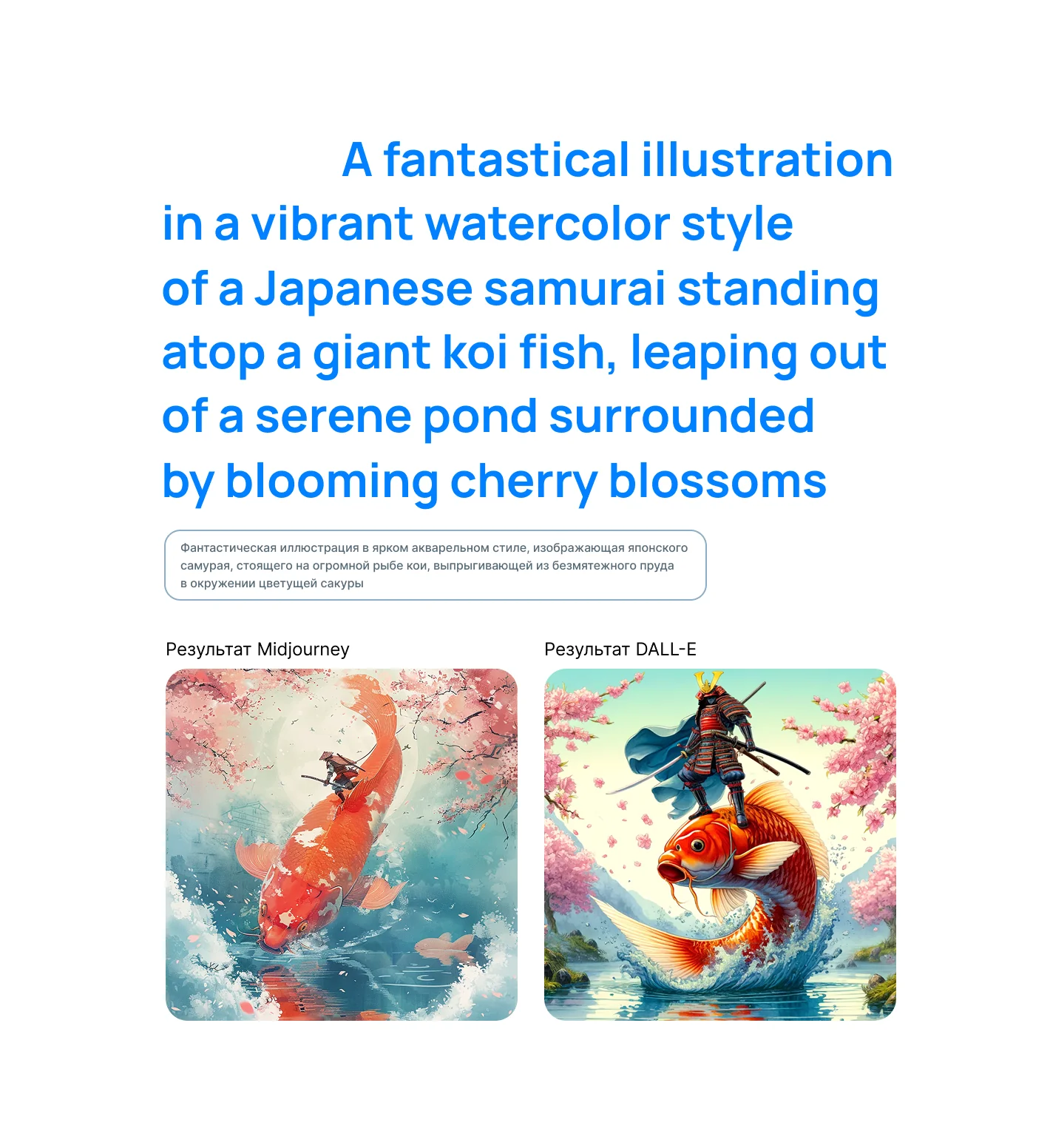
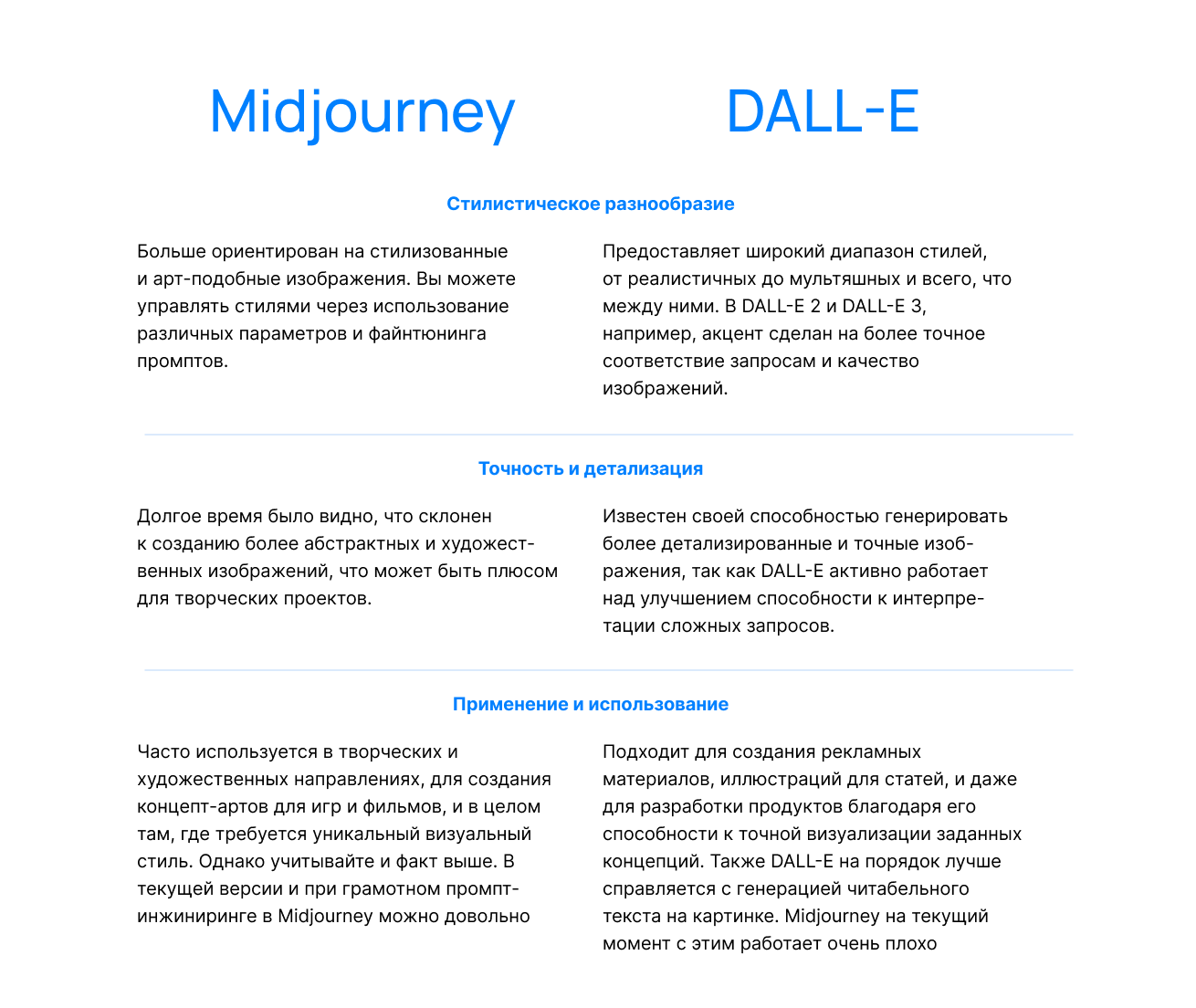
Both models are impressive in their own ways, beyond this example. Understanding their strengths and nuances will help you use these powerful tools effectively for different requests:
How to use and set up Midjourney
To use Midjourney, simply visit its website.
You can write Midjourney prompts in any language, but the neural network understands English best. Below are four images generated from a prompt and four from the same prompt in English, shown on the right: ‘pirate raccoon, Studio Ghibli style, cute, bright colors, black outlines, sea in the background.’
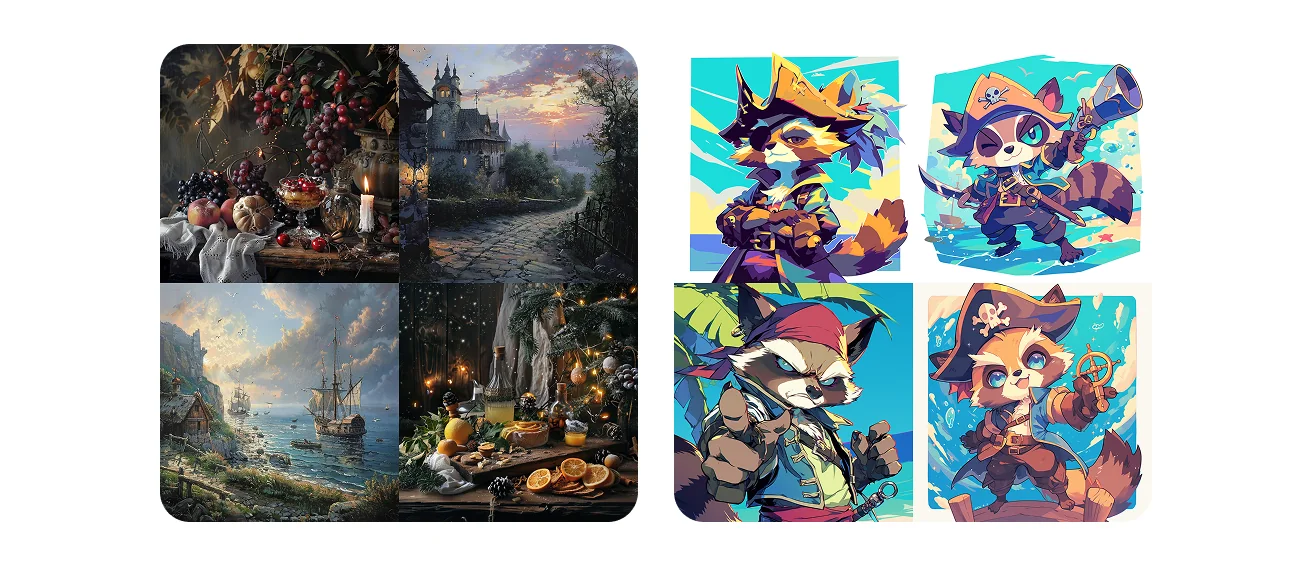
Midjourney understands prompts best when they consist of comma-separated keywords. Instead of ‘draw a strange three-dimensional image of a robot heating food in a microwave,’ use ‘robot heating food in a microwave, strange, 3D style.’ For simplicity, imagine writing a query for Google Images or another image search service. Prompts with a structure such as [general scene description],[style keywords],[detail keywords] tend to be understood best.
By default, Midjourney generates square images. To generate a different aspect ratio, add --ar [x:y] at the end of your prompt in the same text field, where x and y represent the horizontal and vertical proportions respectively. Common aspect ratios include 3:2, 2:3, 16:9, and so on.
You can modify your prompt with other commands if you wish:
Use an image as a reference: Send the desired image to the chat as a separate message. Click the image, then right-click and select Copy Link. In your next message, start your prompt with the link to the original image pasted from the clipboard. The new images will tend toward the original’s composition and colors.
Exclude specific things with a negative prompt: If you end a prompt with --no [a request of any length], Midjourney will avoid generating what that command specifies. For example, if you request a field of flowers and add ‘--no red,’ the result will not include red.
Generate images featuring a character: Send an image of the desired character to the chat as a separate message. Click it, then right-click and select Copy Link. Include --cref [link from clipboard] somewhere in your next prompt. The new images will tend to use the character’s overall appearance and accessories from the original image.
Generate images in a similar style: The process is very similar to the previous example, but uses a different command. Send an image in your desired style to the chat as a separate message. Click it, then right-click and select Copy Link. Include --sref [link from clipboard] somewhere in your next prompt. The new images will tend to use the style of the original image.
Blend two images: start your prompt with /blend instead of /imagine prompt: Then attach 2 to 4 images in the form that opens. Midjourney will generate images combining the qualities and textures of all the attached images.
How to use
and set up DALL-E
To use DALL-E 3 in Russia, you still need to use a different IP address. The model is accessible through the OpenAI platform if you have a paid ChatGPT 4 subscription, and through Bing.
Option 1: To use DALL-E 3 through ChatGPT with a paid subscription, simply select the appropriate tab in the sidebar.
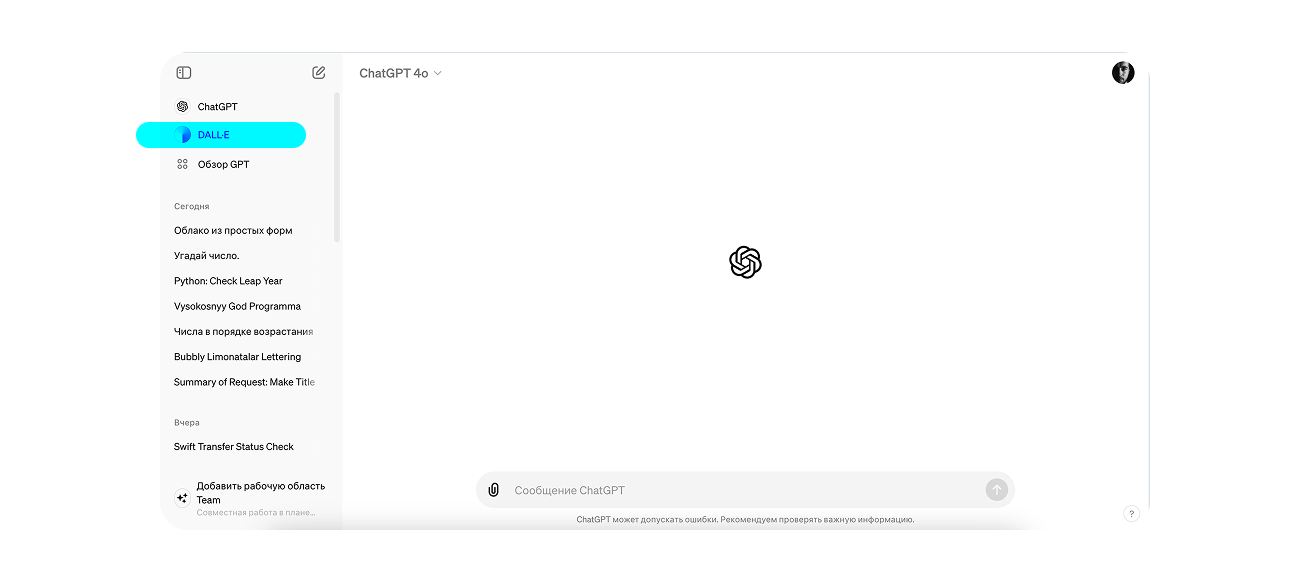
Option 2: Through Bing. Microsoft allows you to use DALL-E 3 outside ChatGPT for free. Follow the link and create a Microsoft account. You will then have access to a prompt field
and the ability to generate 100 images, the number of generations available at the time of writing.
DALL-E has three key capabilities:
Turning text into an image. DALL-E can create pictures from text descriptions. Simply specify what you want to ‘draw,’ and the neural network generates it.
Generating images from other images. DALL-E can use existing images as ‘source material,’ creating variations, modifying them, or adding to them according to your request. To use images as references, attach them to your text prompt and add ‘use the attached image as a reference’ to the description.
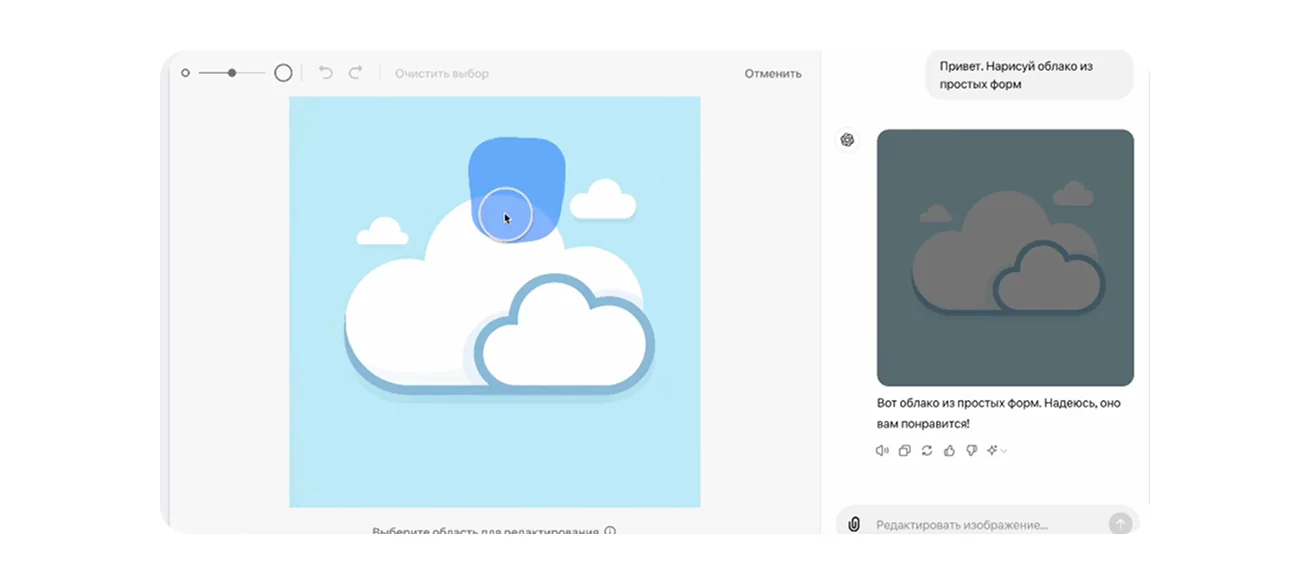
Editing images. DALL-E lets you add or remove objects and adjust them fairly flexibly. It does not work perfectly, but the technology will undoubtedly improve in the future. Only images generated within DALL-E itself can be edited. Click the generated image, then click the paintbrush icon in the new window. Use this tool to select the area you want to change, and describe the changes you want in the text field.